
Kling 4.0 is the next generation of Kuaishou's AI video system. It is designed to create more complete scenes—not just attractive short clips—by combining native 30-second generation, up to 10 keyframes, richer multimodal references, stereo audio and targeted video editing in one workflow.
The full Kling 4.0 model is scheduled to launch in October 2026. Kling 4.0 Flash entered limited early access on September 28 for selected users. An exact public launch day, final pricing and a verified public API contract have not yet been announced.
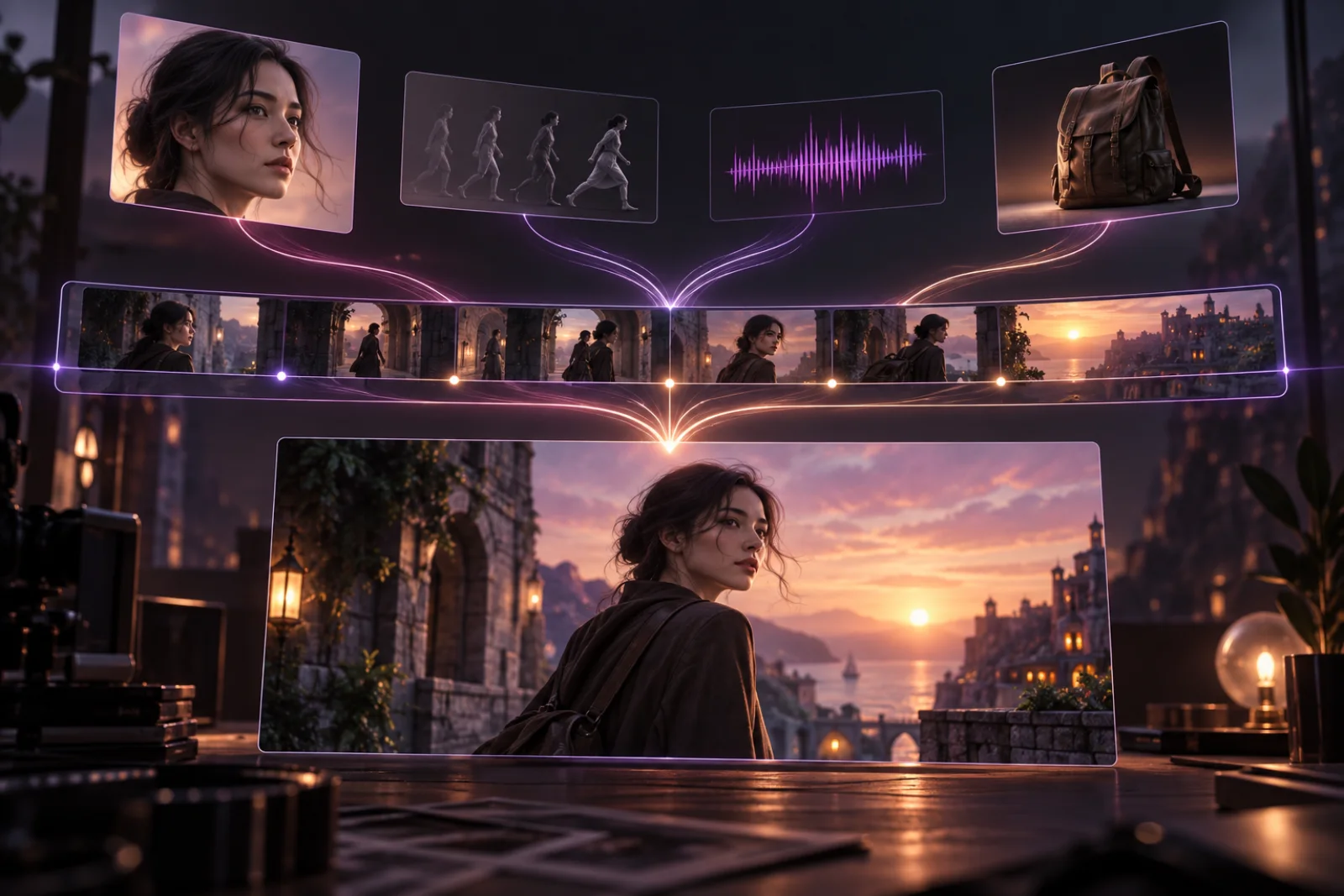
Concept illustration of a reference-led AI video workflow. This is not a Kling 4.0 output.
Kling 4.0 at a glance
| Capability | Announced Kling 4.0 specification |
|---|---|
| Generation modes | Text-to-video, image-to-video, first and last frames, multi-keyframes and Omni Reference |
| Clip duration | 3–30 seconds per generation |
| Keyframes | Up to 10 keyframe images |
| Resolution | 720p, 1080p and 4K listed; 1080p/4K 10-bit HDR is marked as coming soon |
| Aspect ratios | 21:9, 16:9, 1:1, 9:16 and Auto |
| References | Up to 15 combined reference items, subject to per-type limits |
| Prompt length | Up to 8,000 tokens |
| Audio | Two-channel stereo, multilingual speech, dialects and accents |
| Editing | Up to five input video clips, including one primary video, with a 30-second combined limit |
| Longer video | Repeatable extension up to two minutes is announced as coming soon |
The headline numbers matter, but the bigger change is how they work together. A longer prompt alone does not make a coherent video. Kling 4.0 gives creators several ways to specify what must stay consistent, where the story should change and how the camera or subject should move.
What is actually new in Kling 4.0?
Kling 3.0 already supports multimodal inputs, native audio, reference-led generation and multi-shot storytelling. Kling 4.0 builds on that foundation in four practical areas.
A complete scene can last up to 30 seconds
Kling 3.0's official maximum is 15 seconds. Kling 4.0 doubles that limit to 30 seconds in a single generation.
That extra time can hold a setup, an action and a payoff without forcing the creator to stitch together several separately generated clips. Fewer seams can also mean fewer opportunities for a face, costume, product or lighting condition to change unexpectedly between shots.
Thirty seconds does not guarantee a coherent story. It gives the model enough timeline to attempt one, which is why the new keyframe and reference controls are more important than duration by itself.
Up to 10 keyframes provide story-level direction
First-frame and last-frame controls define the ends of a clip. Multi-keyframes add intermediate visual targets, allowing a creator to specify where important changes should happen along the way.
A simple 30-second plan might use:
- an establishing frame for the location and subject;
- an intermediate frame for the main action;
- a reaction or camera-position change;
- a final product or character frame.
The frames should describe reachable states in the same scene. Asking the model to jump between unrelated locations, wardrobes and camera directions still makes continuity harder. The best keyframes reduce ambiguity without trying to replace every in-between frame.
Omni Reference combines more kinds of direction
Kling 4.0 accepts up to 15 reference items across images, videos, voice references and defined subjects. The announced per-type limits include up to 10 images, up to five videos with a combined duration of 30 seconds, and up to seven subjects, including as many as three video-based subjects.
Those references can have different jobs:
- character images can preserve facial features, clothing and identity;
- product images can establish shape, material and branding details;
- reference video can guide performance, motion, camera movement or pacing;
- storyboards, grids and keyframes can communicate composition and narrative beats;
- a voice reference can define how a subject should sound.
More references are not automatically better. A useful reference stack assigns one clear responsibility to each asset and avoids contradictory instructions. For a product scene, for example, one image might lock the product, another the protagonist and a short video the desired camera move.
Audio and visuals are designed together
Kling 4.0's announced output includes two-channel stereo audio, more accurate lip sync and broader language support. Kling lists Chinese, English, Japanese, Korean, Spanish, Portuguese, German, French, Indonesian and additional languages, along with several Chinese dialects and American, British and Indian English accents.
This matters most for dialogue, performance, UGC-style ads and scenes where ambient sound is part of the pacing. Instead of treating sound as a separate finishing step, the prompt can describe speech, sound effects and ambience alongside the action.
The model also claims more stable generated text across camera movement and scene changes. That could be useful for packaging, signs and commercial graphics, although creators should still inspect every frame before publishing anything with required wording.
Existing video can be edited more selectively
The announced editing workflow supports up to five input clips, including one primary video. Each clip must be between 3 and 30 seconds, and their combined duration cannot exceed 30 seconds.
Kling says creators can target expressions, body movement, camera position, camera motion, background and overall style while keeping the rest of a scene stable. If it works reliably outside official examples, this could reduce full regenerations when only one part of a take needs to change.
Kling 4.0 vs Kling 4.0 Flash
Kling 4.0 Flash is the faster member of the new family. It is intended for frequent creation and quicker iteration, while the full model carries the highest announced output and duration limits.
| Decision | Kling 4.0 | Kling 4.0 Flash |
|---|---|---|
| Best fit | Final scenes, longer narratives and maximum output control | Drafting, social content and frequent iteration |
| Duration | 3–30 seconds | 3–20 seconds |
| Resolution | 720p, 1080p and 4K listed | 720p |
| Dynamic range | 10-bit HDR at 1080p/4K is coming soon | 8-bit SDR |
| Text-to-video | Yes | Yes |
| Image-to-video | Yes | Yes |
| Omni Reference | Yes | Yes |
| Current status | Full launch announced for October 2026 | Limited early access began September 28 |
There is not yet enough public information for a reliable cost-per-video comparison. “Flash” signals a speed-and-value tier, but creators should wait for final credit prices and generation settings before deciding which version is cheaper for a completed project rather than for a single attempt.
Kling 4.0 vs Kling 3.0
The cleanest way to understand the upgrade is to compare the workflows, not just the specification sheet.
| Creative question | Kling 3.0 | Kling 4.0 |
|---|---|---|
| How much story fits in one generation? | Up to 15 seconds | Up to 30 seconds |
| How is timing directed? | Prompt-led multi-shot storytelling and first/last-frame workflows | Up to 10 keyframes in addition to first and last frames |
| How are references organized? | Image and video references with Omni workflows | Up to 15 combined multimodal reference items with expanded input roles |
| How detailed can the brief be? | Current KingVid task accepts a shorter prompt | Announced limit of up to 8,000 tokens |
| What is the current practical choice? | Available in the KingVid generator | Not yet integrated into KingVid |
Kling 3.0 remains the usable option on this site today. You can open the current video generator to create with the available Kling 3.0 task. KingVid will only label the generator as Kling 4.0 after the callable model, supported parameters and credit cost have been verified.
How to plan a Kling 4.0 scene
The new controls reward preparation. A useful workflow is to separate the creative brief into five layers.
1. Define one result
Start with the purpose of the clip: a product reveal, a character moment, a short dialogue or a continuous camera move. A scene with one clear result is easier to direct than a prompt containing several unrelated ideas.
2. Map the timeline
Divide the scene into a small number of beats. State what changes at each beat and what must remain constant. Then use keyframes only where a visual decision is important enough to constrain.
3. Give every reference one job
Choose the minimum references needed to lock identity, product, location, motion or voice. Remove duplicates and resolve conflicts before generation.
4. Write visuals and audio together
Describe the subject, action, camera, environment and timing, followed by dialogue, ambience and sound effects. If the scene must not contain music, subtitles or visible text, say so explicitly.
5. Review continuity before surface polish
Check identity, object geometry, contact, direction of movement, lip sync and story order before judging color or cinematic style. A beautiful frame cannot rescue a broken action sequence.
For ready-to-adapt structures, visit the Kling 4.0 prompts and examples gallery.
Where Kling 4.0 could be most useful
The model's strongest announced capabilities point toward several practical jobs:
- Short stories and dialogue: A 30-second generation has room for setup, interaction and resolution, while keyframes can anchor the important beats.
- Product advertising: Product references, generated text, controlled camera moves and targeted editing can help preserve the item across a complete shot.
- UGC and multilingual promotion: Native speech, accents, lip sync and vertical formats support presenter-led social videos.
- Animation and game trailers: Storyboards, style references and motion video can coordinate art direction with action.
- Creative recreation: A reference video can guide pacing, framing or camera movement while subjects, products and environments are replaced.
- Revision of existing footage: Selective edits may be more efficient than rebuilding an otherwise successful clip.
These are supported workflows in the official announcement, not independent quality benchmarks. Real-world reliability, generation speed and cost still need to be evaluated after broad access is available.
What the announced specifications do not mean
Several numbers can be easy to overstate.
Two minutes is not one native generation
Kling 4.0 generates up to 30 seconds at a time. The announced two-minute capability comes from extending a video multiple times, and that extension feature is marked as coming soon.
4K HDR should not be treated as universally available yet
The core table lists 720p, 1080p and 4K, with 10-bit HDR at 1080p and 4K. The detailed release text says 4K and 1080p 10-bit HDR output is coming soon. Availability may therefore depend on rollout stage, mode or account.
Fifteen references are a combined ceiling
The limit covers multiple asset types and has separate per-type constraints. It does not mean every task can use 15 images, five videos and seven subjects simultaneously.
Official examples are demonstrations, not neutral benchmarks
The videos in this article come from Kling's release materials. They show what the company selected to demonstrate, but they do not establish average success rates, generation time or how many attempts were needed.
Kling 4.0 availability and price
Kling announced the full model for October 2026 but has not published an exact launch day in the material reviewed for this article. Kling 4.0 Flash is available to a limited early-access group; Kling's official social announcement identifies Ultra Yearly subscribers as the initial audience.
Final public pricing has not been confirmed. Availability may also vary by account or region during rollout. Check the selected model, duration, resolution and displayed credit quote before submitting a generation.
Frequently asked questions
Is Kling 4.0 available now?
Kling 4.0 Flash entered limited early access on September 28, 2026. The full Kling 4.0 model is scheduled for October, but an exact public release day has not been announced.
How long can a Kling 4.0 video be?
A single Kling 4.0 generation can be 3–30 seconds. Kling also announced repeatable extension up to two minutes as a coming-soon feature.
Does Kling 4.0 support 4K and HDR?
The announced specification lists 4K and 10-bit HDR at 1080p and 4K. The detailed announcement marks those professional output options as coming soon, so confirm their availability in the selected mode before relying on them.
How many keyframes does Kling 4.0 support?
Kling 4.0 supports up to 10 keyframe images, in addition to first- and last-frame workflows.
What is Kling 4.0 Flash?
Kling 4.0 Flash is the faster, value-oriented model in the family. Its announced limits are 3–20 seconds, 720p and 8-bit SDR, with text-to-video, image-to-video and Omni Reference support.
Can I use Kling 4.0 on KingVid?
Not yet. The current generator uses Kling 3.0. Kling 4.0 will only be added after its callable model, parameters and credit cost are verified.
How much does Kling 4.0 cost?
Final public pricing has not been confirmed. Treat third-party estimates as platform-specific until Kling publishes its own rates or a generator shows a verified quote for the exact settings selected.
Is there a Kling 4.0 API?
A final public Kling 4.0 API identifier and parameter contract have not been verified for this integration. API availability should be confirmed from official documentation after the model launches.
Kling 4.0 moves the product from generating isolated clips toward directing complete audiovisual scenes. Its lasting value will depend less on the headline “30 seconds” than on whether keyframes, references, audio and editing remain dependable when creators use them together.
Information checked against Kling's official 4.0 release notes, its official launch announcement, and Kuaishou's Kling 3.0 announcement on September 29, 2026.